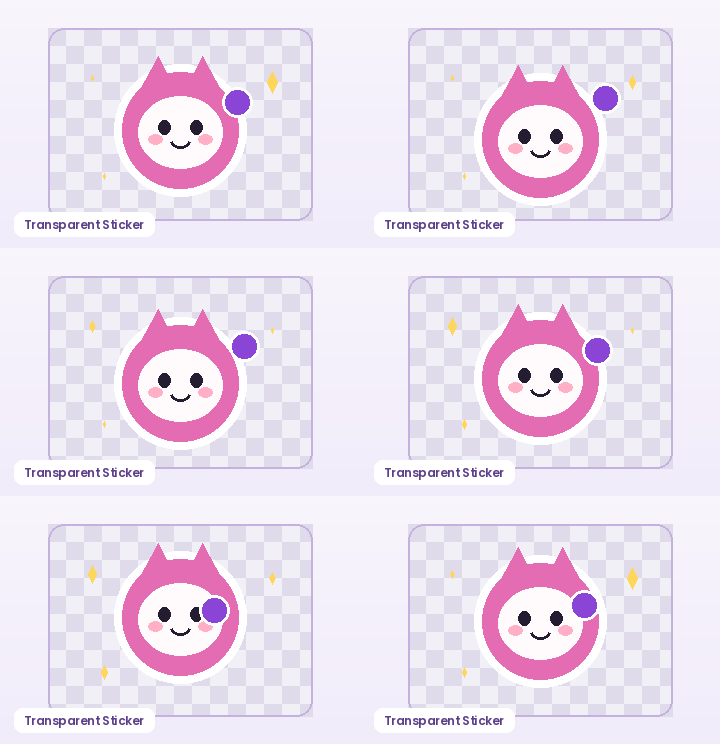
GPT Image 2.6 GIF Prompt Guide & Sprite Slicer

Want consistent character identity across every frame of an AI GIF? Pair structured 9-frame (3×3) or 16-frame (4×4) sprite-grid prompts with GifQuill's instant browser Sprite Sheet Slicer to cut cells in exact sequence, remove solid backgrounds, and export seamless looping GIFs.

Grid Layout
Playback Speed
Solid Background Removal

Copy-Ready Multi-Frame Sprite Sheet Prompts

Each prompt locks cell count, character baseline, and solid background color so slicing produces clean seamless loops.

3×3 Seamless Mascot Wave (9 Frames)

Create a 3x3 animation sprite sheet (9 equal square cells, zero grid lines, zero borders, uniform #F8F2FE solid background). Same cute purple tabby cat mascot in exact center of every cell, consistent proportions and lighting, performing a smooth 9-step waving paw cycle from frame 1 (top-left) to frame 9 (bottom-right) that loops back to frame 1.

3×3 Chibi Reaction Laugh Sticker (9 Frames)

3x3 character animation sprite sheet, 9 equal borderless cells on pure solid white #FFFFFF background. Identical chibi girl wearing headphones in every cell, centered waist-up, progressing smoothly through a cheerful laugh and shoulder bounce cycle across frames 1 to 9 for a seamless GIF loop.

4×4 Pixel Art Spell Cast Loop (16 Frames)

4x4 pixel-art sprite sheet (16 equal cells, no dividing lines, solid #EFE9FA backdrop). Identical 16-bit tiny wizard centered on the same baseline in every cell, raising a wooden staff as golden sparkles orbit 360 degrees across 16 sequential frames for a seamless loop.

2×2 Minimal UI Icon Pulse (4 Frames)

2x2 flat vector animation sheet, 4 equal square cells on pure white #FFFFFF background, no borders. Same glossy purple notification bell centered in every cell, tilting left, center, right, center in a clean cyclic ring animation.

How to Use GPT Image 2.6 GIF Prompt Guide & Sprite Slicer in Three Steps

Fast, private, watermark-free GIF89a output directly inside modern desktop and mobile browsers.

1

Copy a 3×3 or 4×4 multi-frame prompt

Use one of our borderless grid templates below or customize the character while keeping baseline and solid-background rules intact.

2

Upload the sprite sheet PNG or WebP

Drop your generated grid image into the Sprite Slicer—or click Load 3×3 Sample Sheet to test right away.

3

Select grid layout, FPS, and transparency

Pick 3×3 (9 frames) or 4×4 (16 frames), toggle Auto Remove Background, and export your looping GIF.

Why Multi-Frame Grid Sheets Beat Video Clips for Stickers

Video-to-GIF pipelines often drift in lighting, background texture, and palette colors, bloating file sizes into several megabytes. Generating a single 3×3 (9-frame) or 4×4 (16-frame) sprite sheet in GPT Image 2.6 workflows keeps color styling, line weight, and solid backdrops unified—producing crisp, lightweight GIF89a loops.

Why Multi-Frame Grid Sheets Beat Video Clips for Stickers

How to Prompt Clean, Borderless 3×3 & 4×4 Frame Grids

Always state three constraints in your prompt: (1) exact grid geometry such as '3x3 equal borderless cells with zero gutter lines', (2) 'identical centered character on the same baseline in every cell', and (3) 'uniform solid #FFFFFF background' so automatic corner chroma keying removes the backdrop cleanly.

How to Prompt Clean, Borderless 3×3 & 4×4 Frame Grids

Slice, Key Transparency, and Tune FPS Locally in Seconds

Upload any 2×2, 3×3, or 4×4 sheet PNG/JPG/WebP into the slicer above—or load our 9-frame sample sheet—choose your frame count and playback FPS, and export a ready-to-share animated GIF without uploading a single byte to external servers.

Slice, Key Transparency, and Tune FPS Locally in Seconds

Recommended GIF Dimensions, FPS & Size Targets by Platform

Matching pixel geometry, frame rate, and palette size to your destination platform prevents blurry server re-compression, black transparency fringes, and rejected uploads across chat apps and documentation tools:

Destination PlatformIdeal DimensionsRecommended FPSPalette & Size Target
Discord Custom Animated Emoji128×128 or 160×160 px (1:1)10–12 FPS96–128 colors · Under 256 KB
Discord & Slack Chat Stickers320×320 px (1:1 transparent)10–15 FPS128–192 colors · Under 500 KB
GitHub Pull Requests & Docs480–640 px wide (16:9 / 4:3)8–12 FPS128 colors · Under 2 MB
Social Reaction Memes & Replies360–480 px square or 4:512–15 FPS192–256 colors · Under 1.5 MB
Email Newsletters & Changelogs480–600 px wide8–10 FPS96–128 colors · Under 800 KB

Every export created on GifQuill uses standard compliant GIF89a Netscape 2.0 infinite looping blocks, local median-cut quantization, and zero corner watermarks so files play immediately in desktop browsers, iOS, Android, Slack, Discord, Notion, and GitHub.

Frequently Asked Questions About Multi-Frame Grid GIF

Does GifQuill claim to run OpenAI's private servers inside this page?

No. GifQuill is an independent browser toolkit and prompt guide. You can copy our tested multi-frame prompts for your own GPT Image 2.6 workflow and slice any resulting 2×2, 3×3, or 4×4 image sheet into a looping GIF locally here.

What order does the Sprite Sheet Slicer read frames?

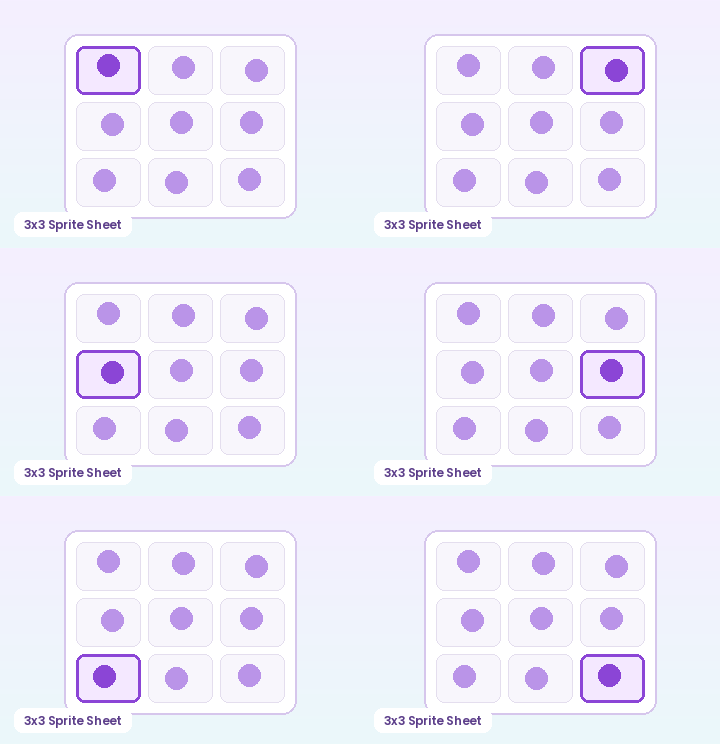
Frames are sliced left-to-right, top-to-bottom (row-major reading order), matching standard 3×3 and 4×4 sprite sheet layouts.

What if the last cell of my 3×3 sheet is empty?

Lower 'Frames to Keep' from 9 to 8 or 7 so empty trailing cells are skipped cleanly before encoding.

Should I prompt for grid dividing lines?

No—always specify 'zero grid lines, borderless equal cells' so thin black dividers never creep into the edges of sliced frames.